Home / Features / Planning
Work toward the next milestone.
Set goals with dates, see how a little extra saved each month changes the timeline, and keep an eye on TFSA, RRSP, FHSA and RESP room, starting from the figures CRA gives you. Everything here works from the numbers you enter.
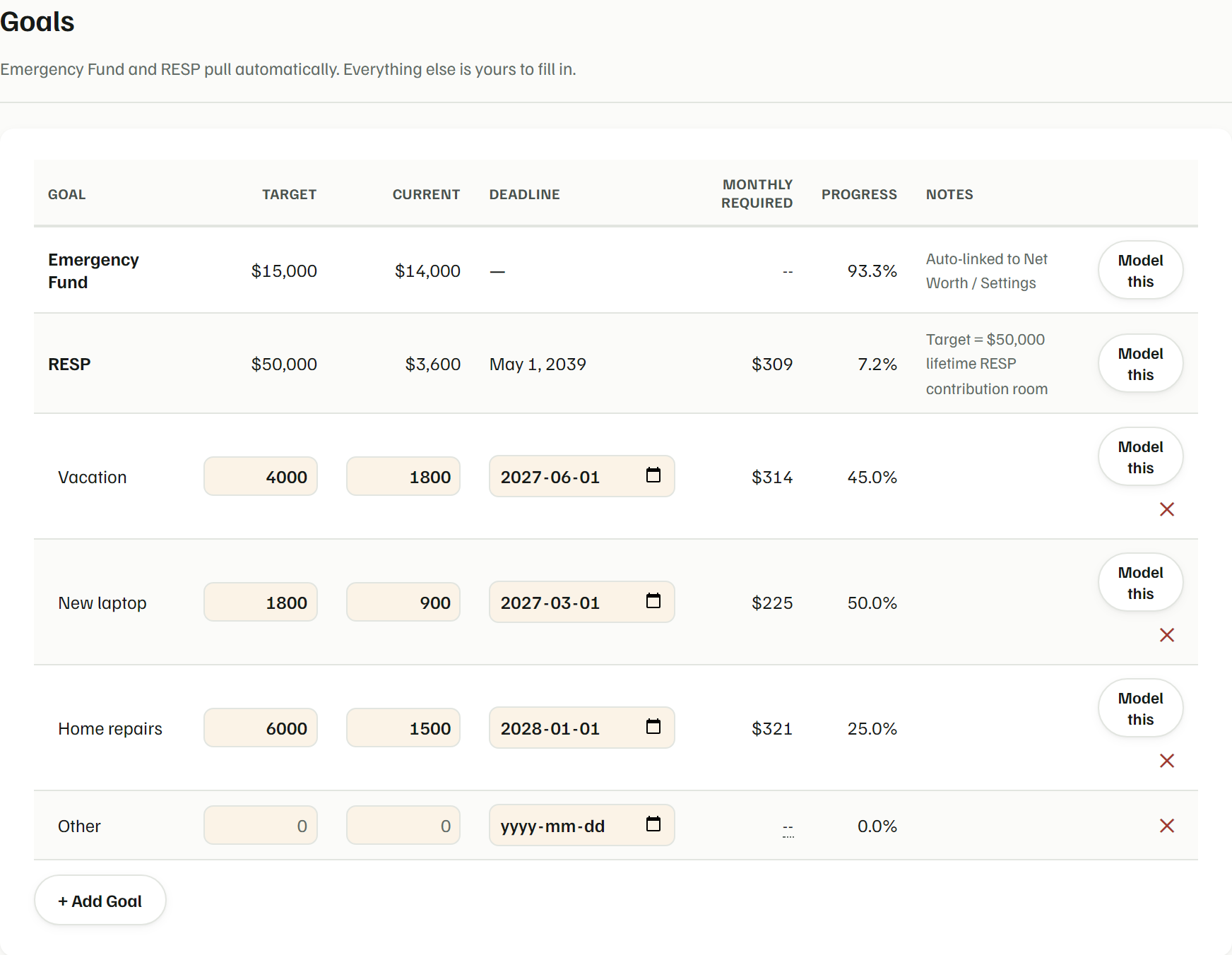
Goals with real dates
Give each goal a target, what you have so far and a deadline, and Yusr shows the monthly amount required and your progress. Your Emergency Fund and RESP goals pull their numbers automatically.
- Emergency Fund measured in months of spending, with a target you choose
- A "Model this" button on each goal to try it in Scenarios
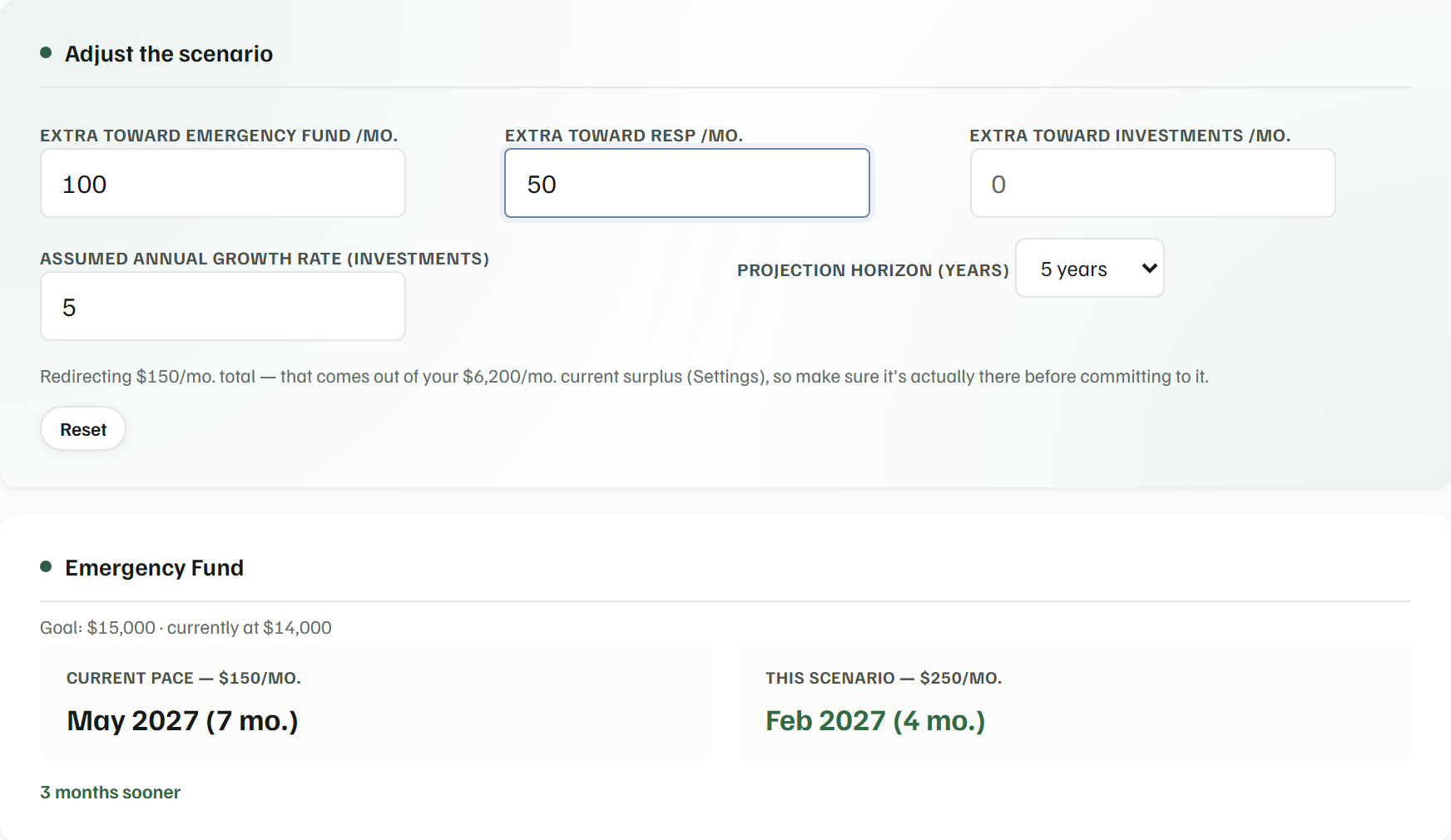
Scenarios: what if you saved a bit more?
Enter an extra monthly amount toward your Emergency Fund, RESP or investments and compare your current pace with the scenario, including how many months sooner you'd get there.
- Your current pace comes from the amounts in your Budget
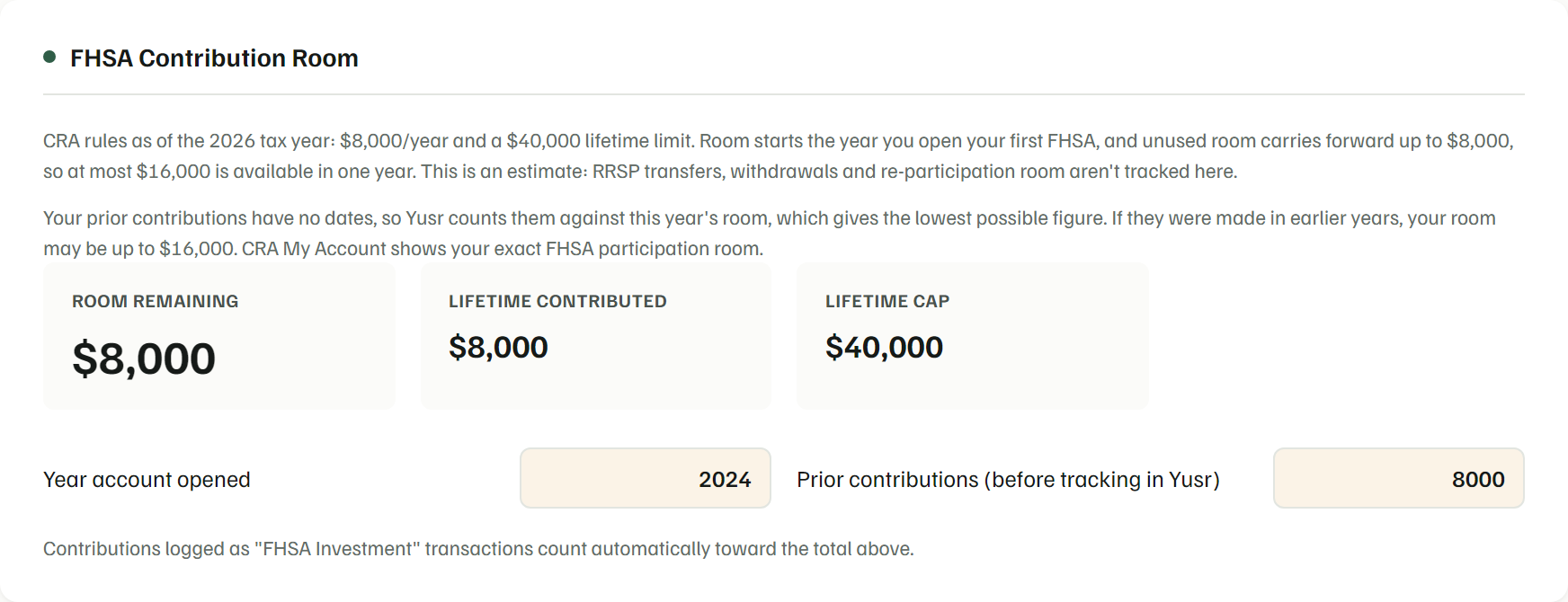
Your registered accounts
Enter the TFSA room and the RRSP deduction limit CRA gives you, plus the year you opened your FHSA and your prior contributions. Yusr subtracts the contributions you log, and applies CRA's published FHSA rules (the annual and lifetime limits and the carry-forward), to estimate what you have left. Contributions logged as TFSA, RRSP or FHSA savings transactions count automatically.
An estimate only. Yusr doesn't read CRA data or work out room from your income; CRA My Account and your Notice of Assessment show your exact room.
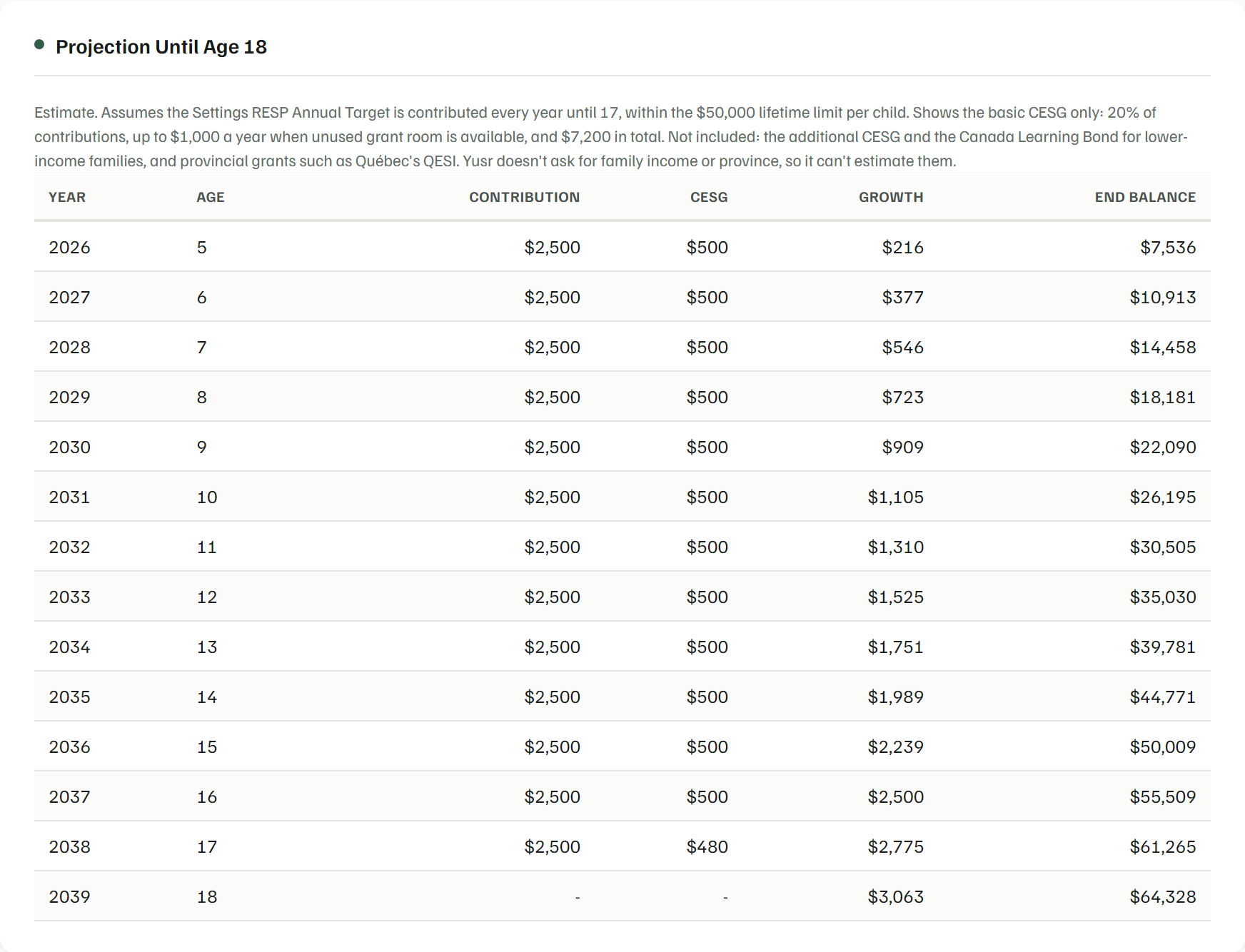
RESP and CESG
Enter your child's date of birth, what you've contributed and the CESG you've received. Yusr projects contributions, grants and growth to age 18 against the lifetime limits.
The projection shows the basic CESG only: not the additional CESG, the Canada Learning Bond or provincial grants such as QESI. Yusr doesn't ask for income or province.
Investments against a target allocation
Track your holdings, set allocation targets and see how far your actual holdings have drifted from them. If you follow halal-screened funds such as SPUS and SPWO, you can track those too.
Annual Review
Nine areas worth a look once a year, each with a date and a note. It's a checklist, not a calculator: nothing in it updates automatically.
- A reminder appears on your Dashboard when it's been about a year
What Planning doesn't do
- TFSA and RRSP room start from the figure CRA gives you; Yusr doesn't calculate it from your income or pension adjustments.
- FHSA and RESP figures are estimates from the numbers you enter; Yusr doesn't read CRA data.
- The RESP projection leaves out the additional CESG, the Canada Learning Bond and provincial grants.
- The Annual Review is a checklist, not an automated financial report.
Plan your next milestone.
Private preview. Bank connection is planned.